Local field values calculation
Physical field quantities calculated in the specific point are called local values. Local values related to the electric field include the potential U, electric field strength vector E, electric field displacement vector D, dielectric permeability ε.
It is required to switch on the Probing mode of the field calculator to display the local values
in chosen point. This may be performed by pressing the button  in the toolbar or by selecting the pane
Local Values in the stack of field calculator panes, or by using the command Local Values from the View menu.
This will be indicated by the cursor shape change to
in the toolbar or by selecting the pane
Local Values in the stack of field calculator panes, or by using the command Local Values from the View menu.
This will be indicated by the cursor shape change to  .
.
Every mouse click over the points at the model surface will lead to refresh the coordinates and field values in the pane. Point coordinates for the local values calculation may also be manually entered into the corresponding fields of the local value pane.
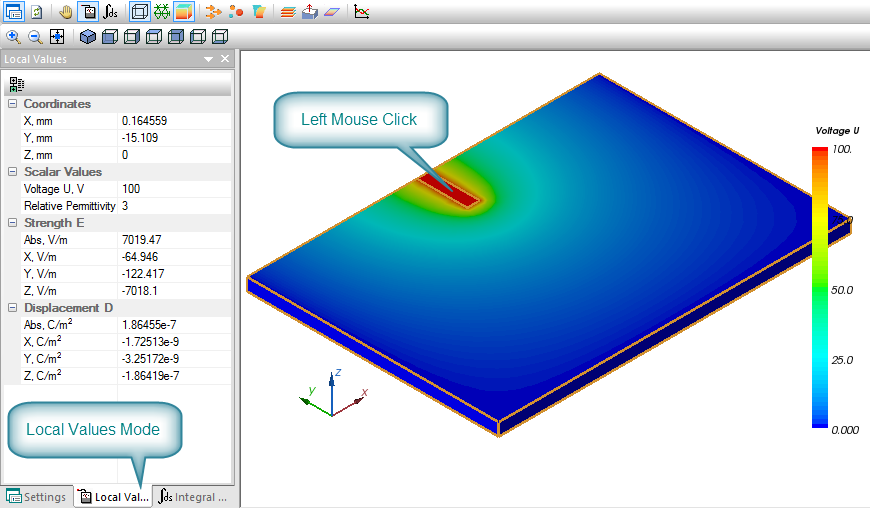
Pic. Local field values mode
In the upper part of the pane three fields X, Y and Z are prepared for entering the probing point coordinates. These fields are automatically refreshed when the mouse is clicked in the model.