Examining local field data
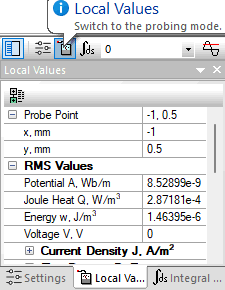
To obtain local field data, choose Local Values in View menu. Then you can click points where you need to know the values of the field quantities.
Local values are shown in a window, which also provides additional functionality:
- Enter coordinates of the point of interest from keyboard.
- Values of physical quantities can be copied to clipboard using CTRL + C keys.