Table Columns
To change the set of visible table columns or the contents of their headers, choose Columns from the View menu or from context (right mouse button) menu in the Table window. The Table Columns dialog appears on the screen:
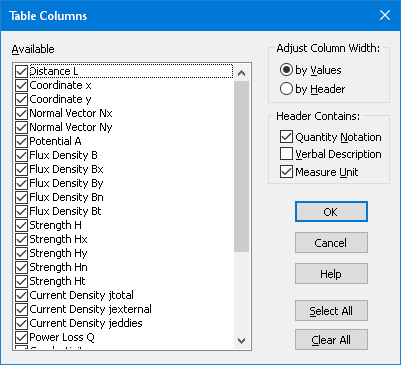
The left part of the dialog window contains the list of all known columns. You choose the set of visible columns marking or clearing the check boxes in the list. Clicking on Select All or Clear All button respectively marks and clears all check boxes in the list.
The state of the check boxes in Header Contains defines which column identification details should be included in its header. The Adjust Columns Width radio button state specifies whether the width of a column should be based on the width of its data or on the width of its header.
QuickField applies these settings to all columns at once. To change the width of a single column drag the right border of the column in the table header.