Advanced Magnetics--Step-by-Step Description: Step 10
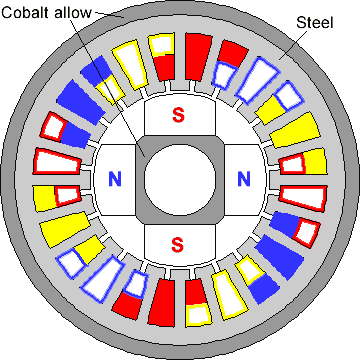
Let's do the similar operation with the coil slots:
-
Click and drag diagonally to select all elements of the stator fragment. Remember that selected become only those model elements, which fit in the rectangle wholly.
-
On the Edit menu or context menu, click Duplicate Selection, a dialog box appears.
-
Click Rotation and put 15 for Angle and 23 for Copies. Click OK. Confirm creation of new elements by clicking Yes.
To complete the model geometry we have to create three circles with radii 5, 23 and 25 mm.
-
Press INS (or Insert Mode from Edit menu, or Insert Vertices/Edges from context menu, or corresponding button on the toolbar) to switch Model Editor to Insert mode.
-
Drag from (5, 0) to (-5, 0) and then back from (-5, 0) to (5, 0), from (23, 0) to (-23, 0) and back, from (25, 0) to (-25, 0) and back.
-
Press INS again to cancel Insert mode and return to Pick mode.
We are now done with the model's geometry.