Advanced Magnetics--Step-by-Step Description: Step 12
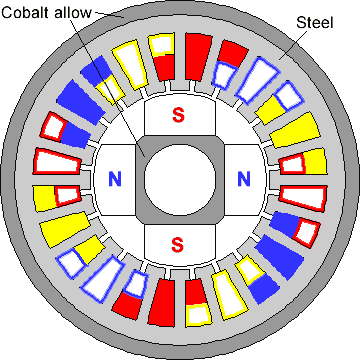
Edge labels are used to define surface currents on the edges of the magnets as well as specific boundary condition of zero Dirichlet boundary condition (zero normal flux, A = 0) at the very outer boundary of the frame. We need to assign the proper surface currents to create two radially inward and two radialy outward directions for coercivities of the magnets. To assign labels to edges:
-
Select the two outer semicircular edges on the outer frame.
-
Press ALT+ENTER, the Properties dialog box appears.
-
In Label area, type A = 0 and press ENTER.
-
To label magnet edges, select the two side magnets' edges in the first quadrant and two in the third quadrant, and label them as Magnet Left.
-
Repeat the above process to label the magnets' edges in second and fourth quadrants as Magnet Right.
Now we are finished with assigning labels to geometrical objects.
We can proceed with building a mesh of finite elements. We'll use the fully automatic mode to create the mesh. With this option we don't need to specify the mesh density at any point, QuickField's sophisticated mesher determines a suitable mesh automatically.
-
On the Edit menu, click Build Mesh and then In All Blocks to build the meshes for all blocks at once.
Now the model is ready. To save model in a file, click Save from the File menu.