Model Editor 3D View
With problems of the model class "3D Import" the model editor always shows 3D view. With problems of the model class "3D extrusion" one can freely switch between 2D and 3D views of the model editor by 3D command in the View menu or by pressing the button  (Toggle 2D/3D) in the model editor toolbar.
The 3D view of the model editor allows to see 3D geometry model, assign labels to its entities: bodies, faces, edges and vertices, set desired mesh spacing in vertices, generate and control the 3D finite element mesh.
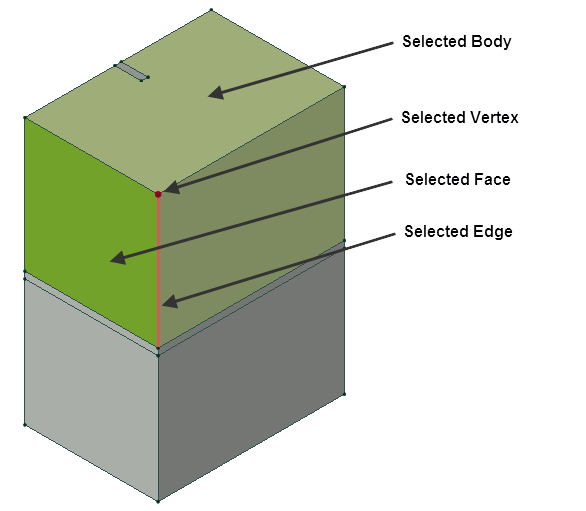
To get the full information about 3D model geometry it is possible:
- Look at the model from any direction (rotation);
- Move the model along the screen surface (panning);
- Increase and decrease the model scale (zooming);
- Select the model elements: bodies, faces, edges, vertices;
- Hide the parts of the model (hiding) to see the objects behind. Also some bodies may be displayed transparently.
- Cut the model with a plane, with interactive control of the position and visibility of the cutting plane.
- Build, inspect and remove the 3D finite element mesh on model edges, faces and in the bodies.
- Control of the density of 3D mesh, by assigning desired mesh spacing to selected vertices.